TUI Installation
The Perceptron TUI is an optional, keyboard-driven terminal frontend. For the primary browser experience, see Getting Started instead. The TUI is useful if you prefer the terminal, want an integrated EVM wallet, or need the local domain-tunnel client (the web app manages reservations but cannot establish the local tunnel itself).
Prerequisites
To use the Perceptron TUI, you’ll need a modern terminal emulator like:
Install Perceptron TUI
The easiest way to install the Perceptron TUI is through the shell script installer.
curl -fsSL https://perceptron.cloud/install.sh | bashThis downloads pre-built binaries for your OS and architecture, and
installs to ~/.perceptron/bin/:
perceptron: the terminal UIpct: symlink toperceptronperceptron-server: the local frontend server
The installer prompts to add ~/.perceptron/bin/ to your
$PATH if not already configured.
Supported platforms:
- Linux (x86_64, aarch64)
- macOS (x86_64, Apple Silicon).
Launch Perceptron TUI
pctInvoke the pct command in your terminal emulator to
launch the Perceptron interface.
On first launch you will be prompted to generate or import an existing BIP-39 seed phrase, and set a passphrase to encrypt the seed phrase on disk. Your seed phrase never leaves your computer, is stored locally, and encrypted at rest.
Your wallet address becomes your unique identifier or “username”.
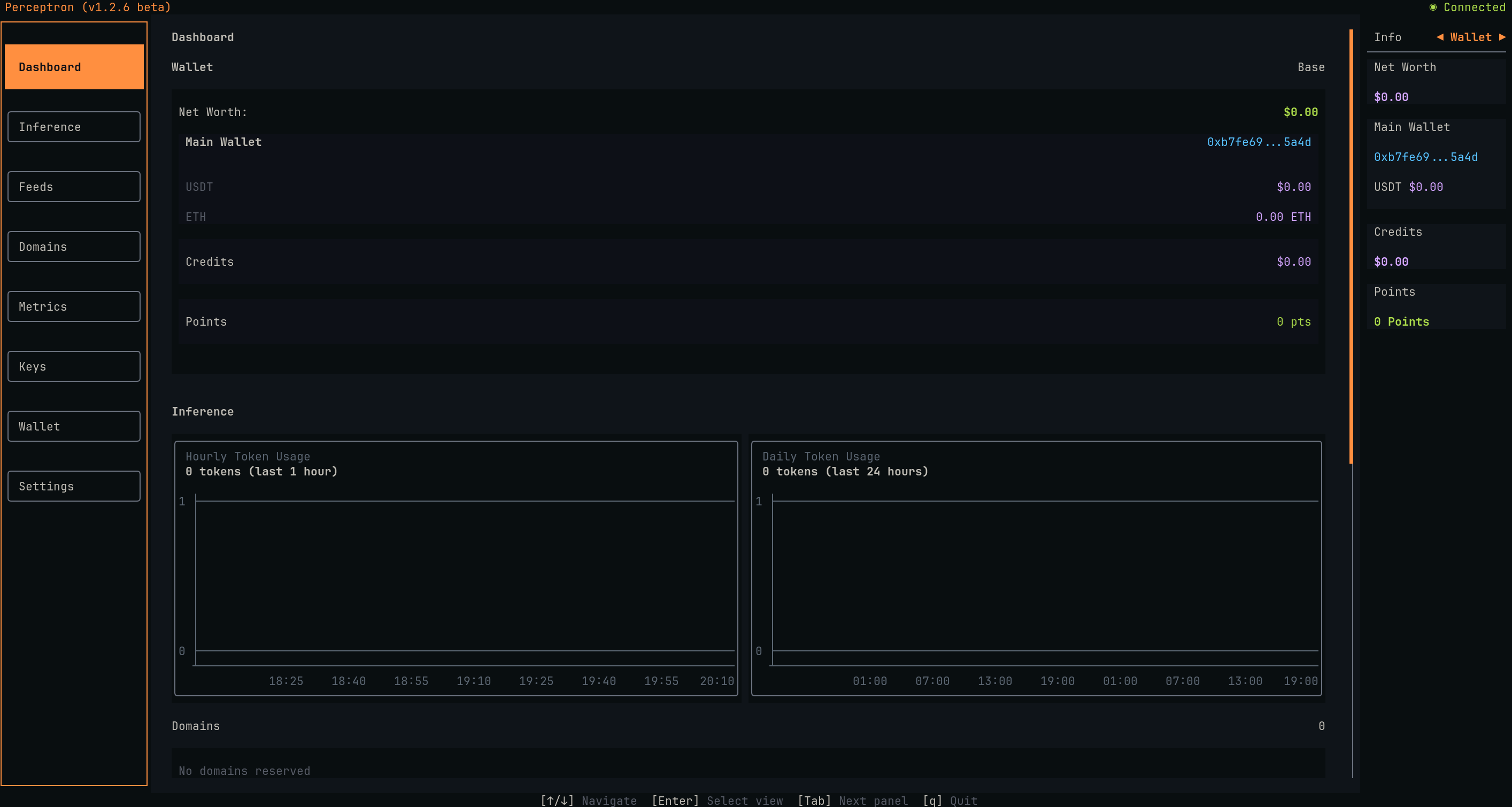
The TUI dashboard appears with your balances, service status, and metrics. You can navigate the menu sidebar on the left with your keyboard arrow keys, or h-j-k-l to explore different pages of the interface.
Buy Credits
All Perceptron services are billed from prepaid credits purchased with USDT.
To purchase credits from the TUI:
- Navigate to the Wallet page on the menu sidebar panel
- Send some USDT to your wallet address displayed on the Wallet page (ensure your desired Blockchain network is supported and selected in the Settings page)
- Press
bon your keyboard to open the purchase modal - Enter your desired amount in USDT (e.g. $10)
- Press enter to purchase
- Wait for blockchain confirmation (a few seconds)
Credits appear in your balance on the Wallet page and can immediately be used to access all perceptron services.
Get an API Key
- Navigate to the Keys page on the menu sidebar panel
- Press the
nkey to create a new API key - Choose a desired label for the API key and press
enter - Press the
ckey to copy the API key to your clipboard
You can manage multiple API keys on the Keys page, and track your usage on the Metrics page.
Make Your First API Call
curl https://perceptron.cloud/api/v1/chat/completions \
-H "Content-Type: application/json" \
-H "Authorization: Bearer $PERCEPTRON_API_KEY" \
-d '{
"model": "moonshotai/kimi-k2.6",
"messages": [
{
"role": "user",
"content": "What is the capital of Japan?"
}
],
"reasoning": {
"enabled": true
}
}'The Perceptron API exposes a collection of endpoints for its multiple
services. You can list the available endpoints on the
/api/endpoints endpoint, or read the full API Reference.